Smart Filters
Instead of scanning individual responses from each document, users can ask questions and instantly filter results at scale.
Project Type
Product Design, Marketing, Gen AI
Domain
AI Patent Search @ IPRally
Product
www.iprally.com

Overview

Who is the audience?
Patent Analysts & R&D Teams dealing with massive document sets.
What will they use this feature for?
To narrow down thousands of patents into a shortlist using AI questions.
Where is the current pain?
Users ask AI a question, but then have to manually read 500 responses to find the "Yes" answers.
Why will they need this?
To eliminate the cognitive bottleneck. AI should filter, not just answer.
The Problem: The "Before"
The 100-Minute Wall of Text.
IPRally's inbuilt Ask AI could answer any question about a patent.
But when a user asked "Does this patent use a lithium battery?" across 500 documents, they got 500 paragraphs back. The AI did its job. The patent analyst still had to do all the work.
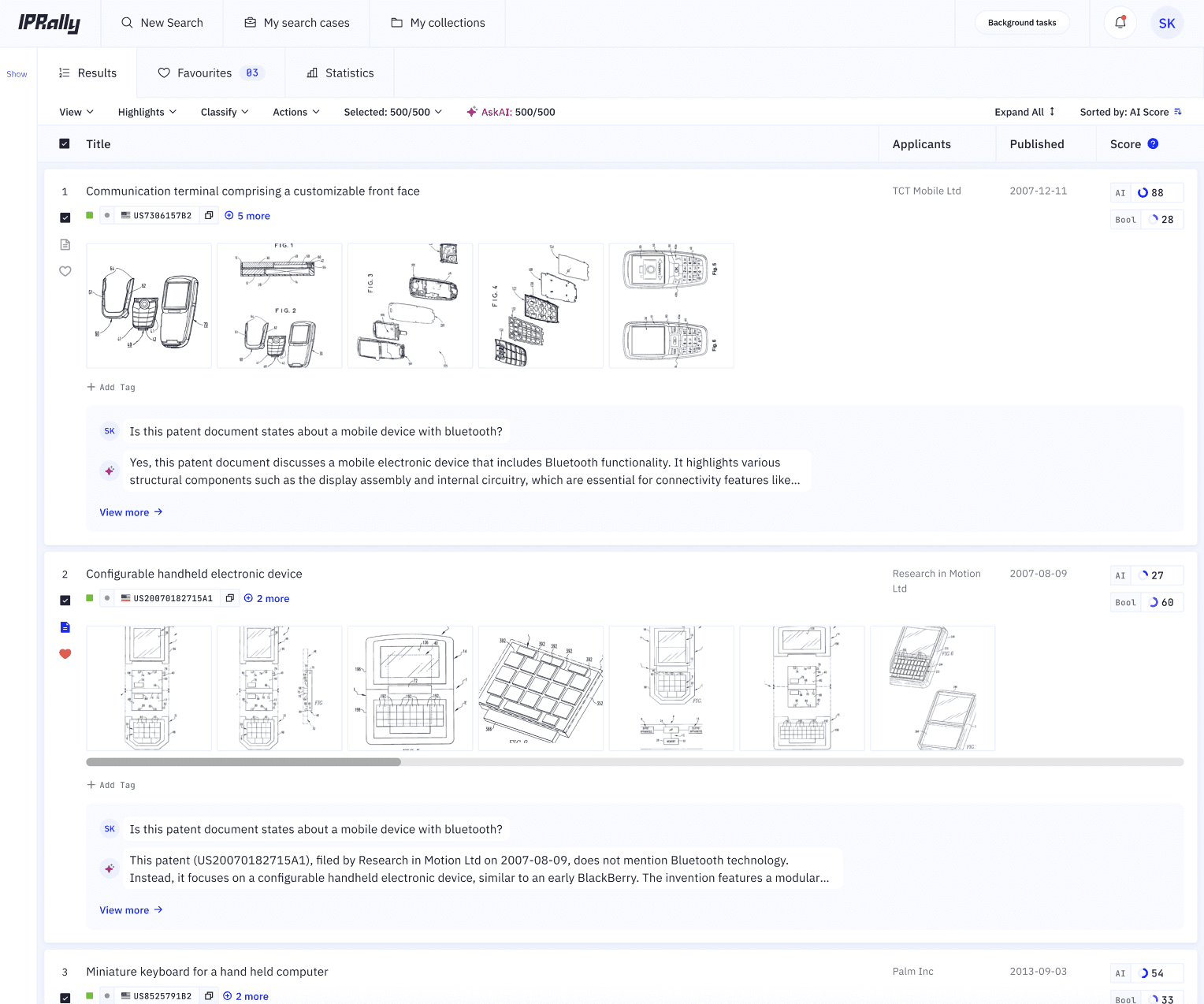
Before: The actual interface where the user goes through each answer from binary question for 500 or more documents.
Final Solution
How it works
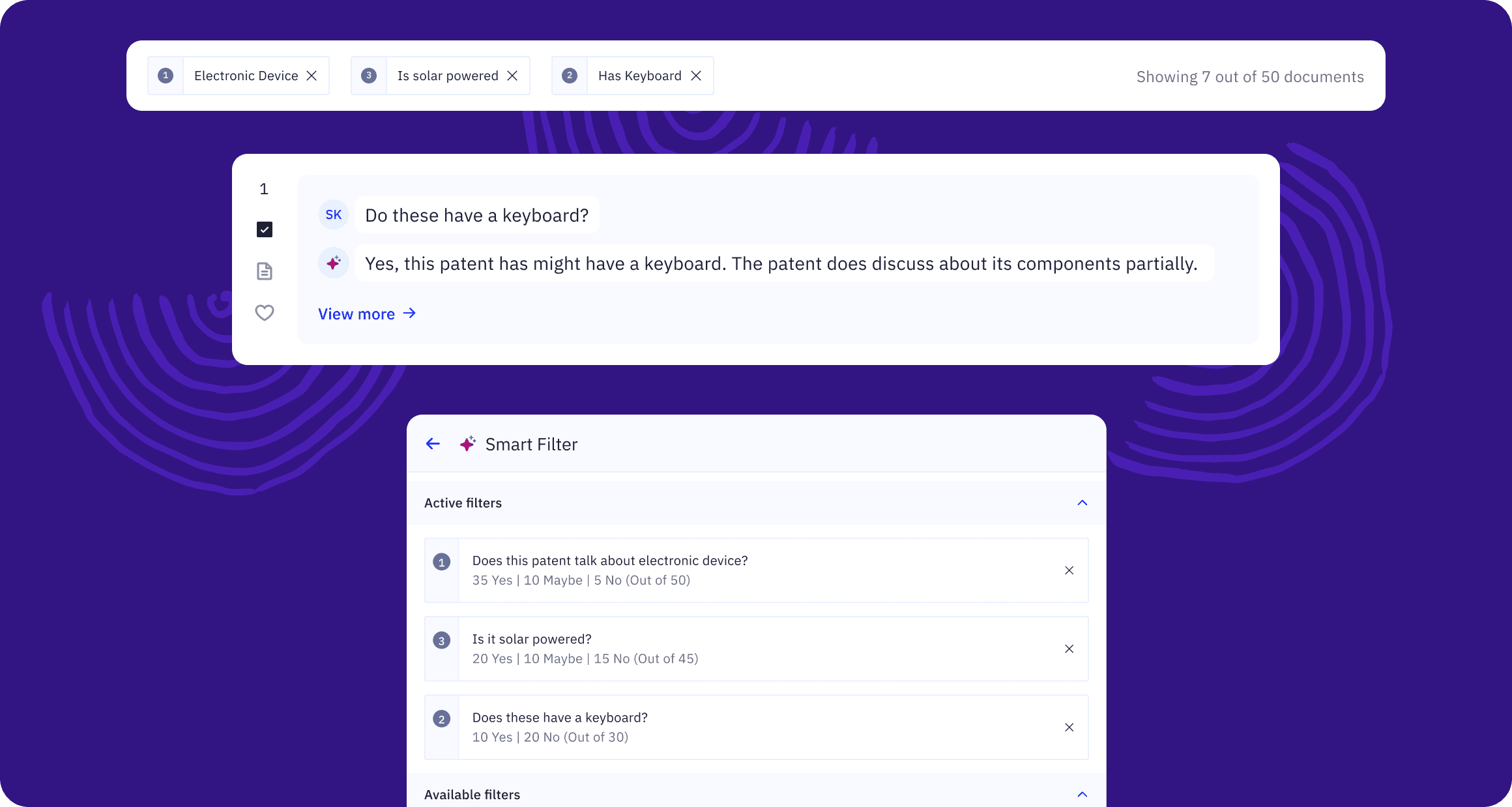
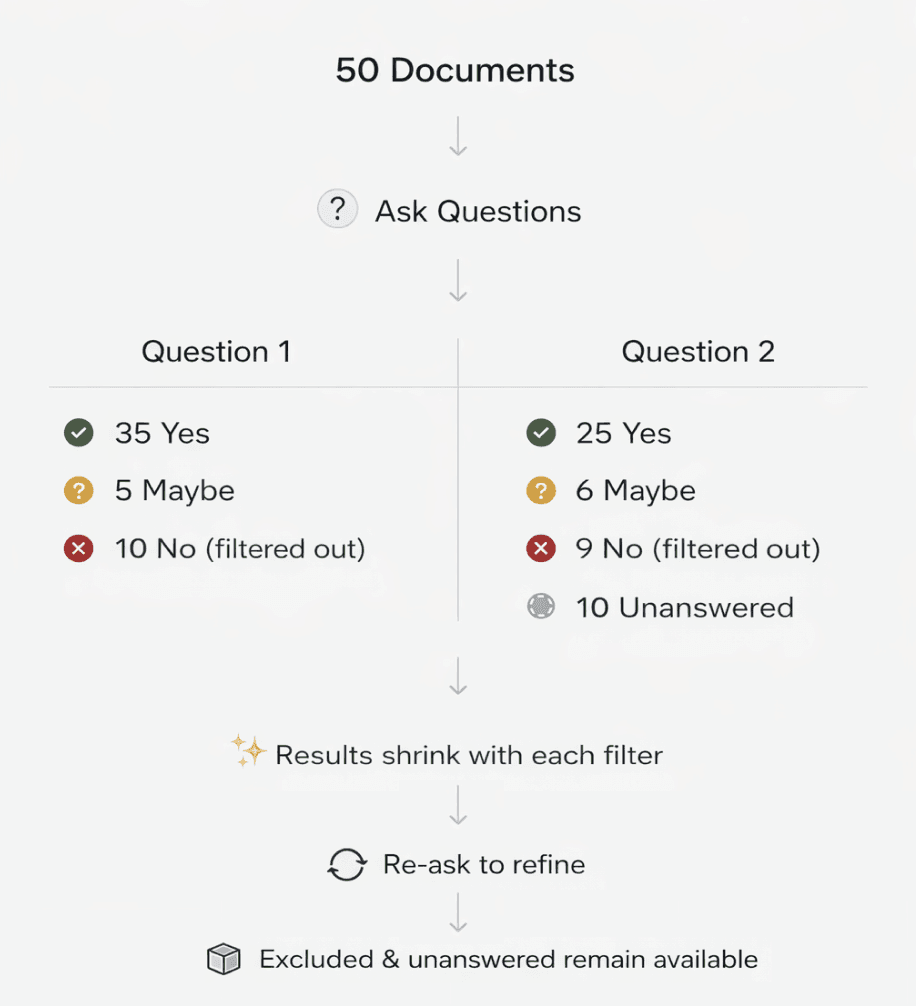
Smart Filters converts each question into a filtering step:
User selects a set of documents.
Asks a question (e.g "Does this patent talk about electronic device?")
Ask AI by IPRally evaluates documents, returns documents with Yes/No/Maybe
User applies filter by pressing "Hide No Patents"
Result set gets narrowed. The process is repeated with new questions.
How we got there
Prototyping with vibe coding:
Before any wireframes, I used vibe coding to build 2 working interaction models — stress-tested against real patent data in 1 days, not 1-2 weeks. Two directions came out of it.
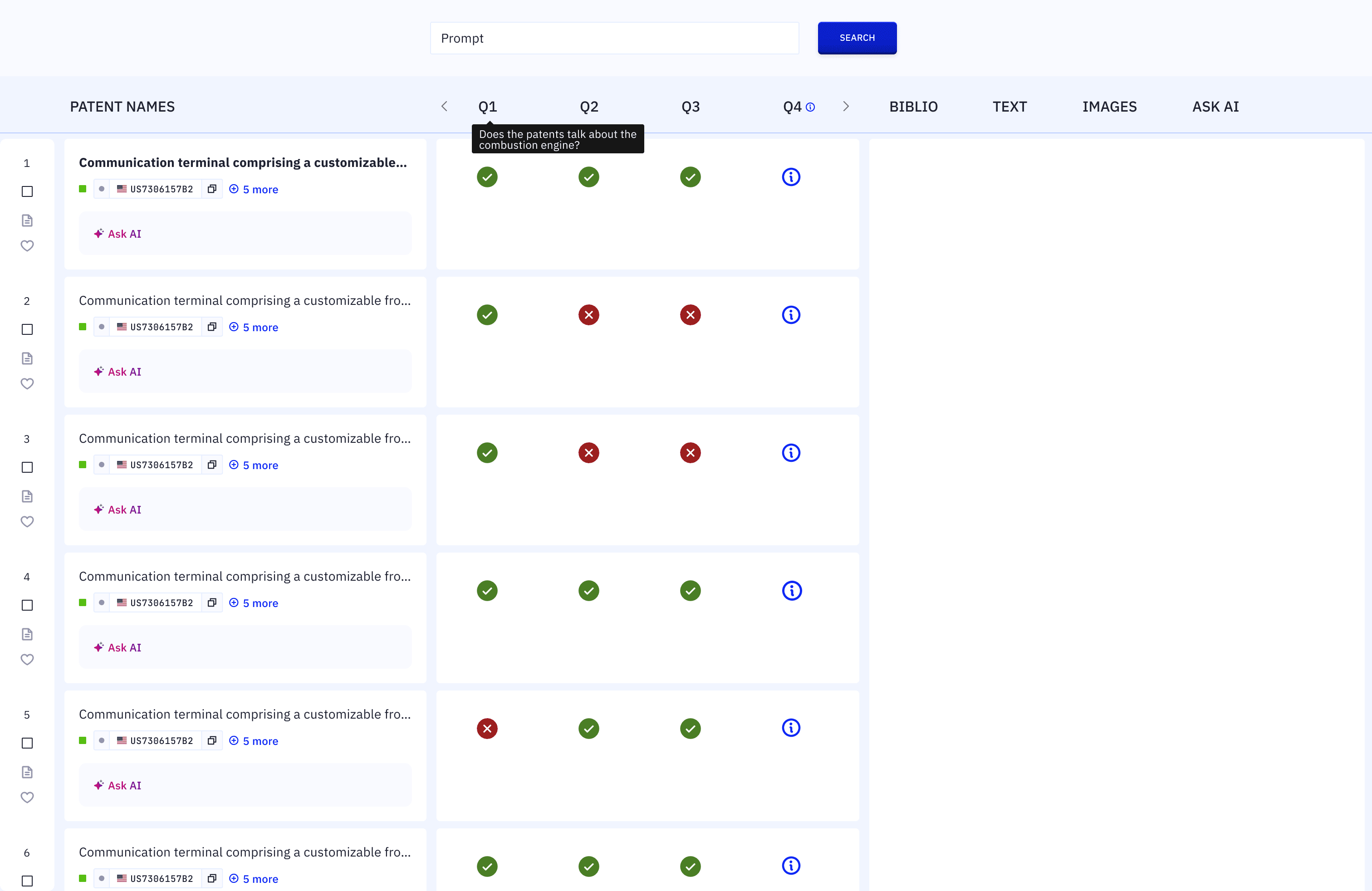
Iteration 1: Grid view — evaluate multiple questions across all patents at once. Too cognitively heavy for the main audience. Shelved.
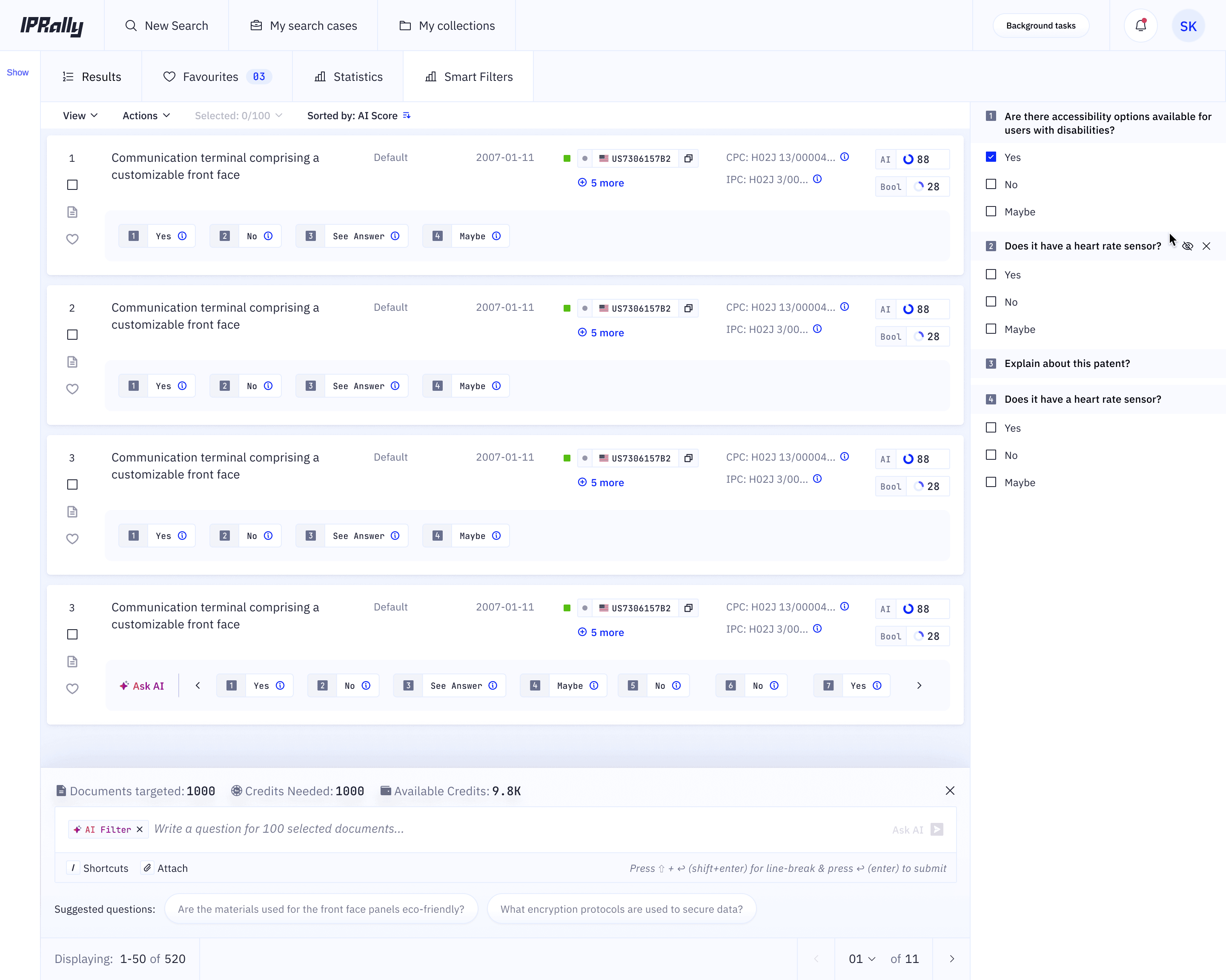
Introducing question-based filtering within the results view.
Good option, this was considered for V2. V1 had no checkboxes selection of Yes, No, Maybe.
Internal evaluation caught:
Introducing Maybe state — AI certainty that doesn't exist. In patent law, a wrong "No" can cost millions. Before V1 shipped, we added Maybe state which signifies that AI is uncertain and it became a "needs human review" signal.
Introducing Error state — Many times there is a server error in fetching the answer. We also introduced the Error state.
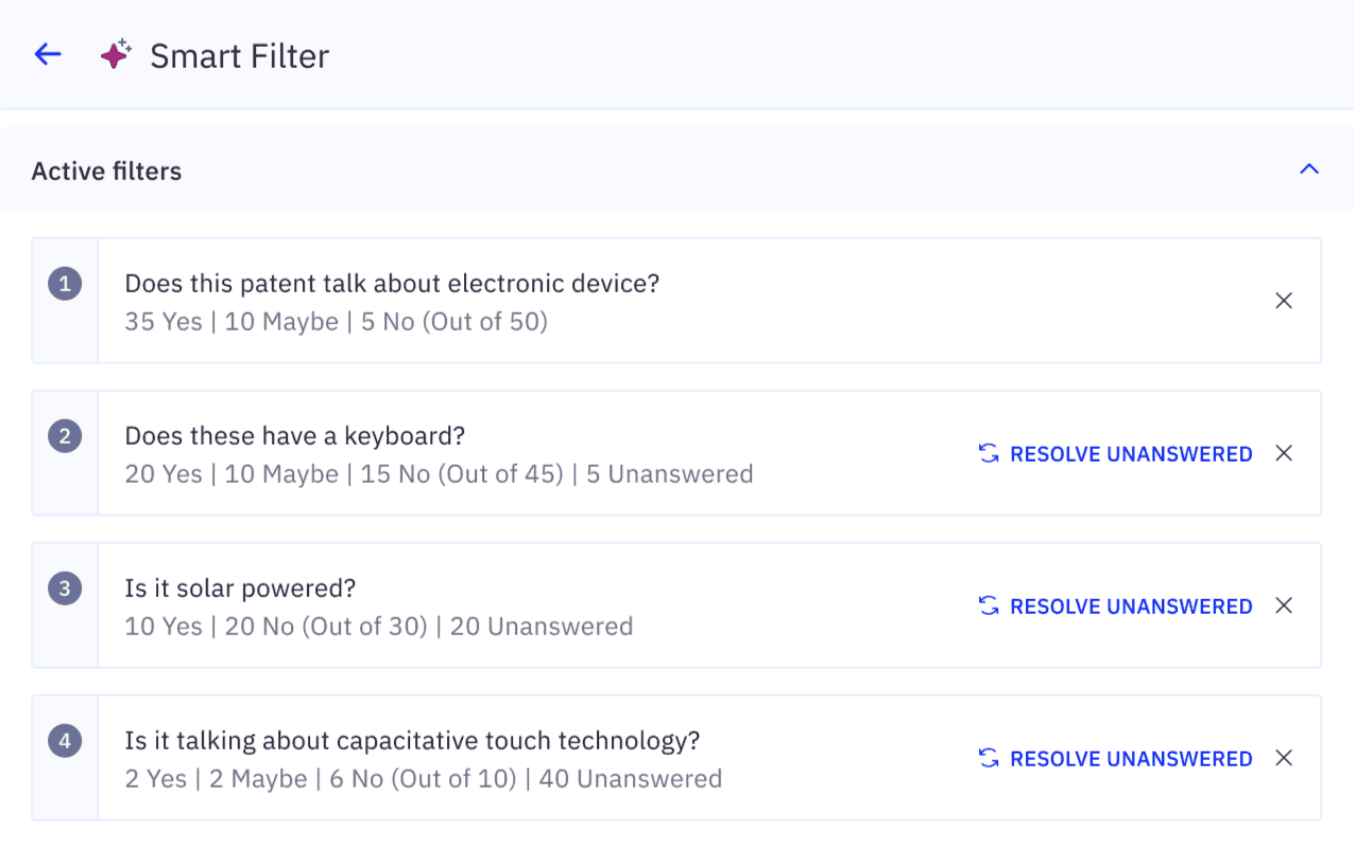
Early customer testing:
We had select customers pre-launch of V1 who gave us feedback.
Resolve Unanswered feature — once a filter hides documents from view, those documents are skipped by subsequent AI questions. Resolve Unanswered let users evaluate the documents — ensuring no document was permanently excluded just because of an earlier filter.
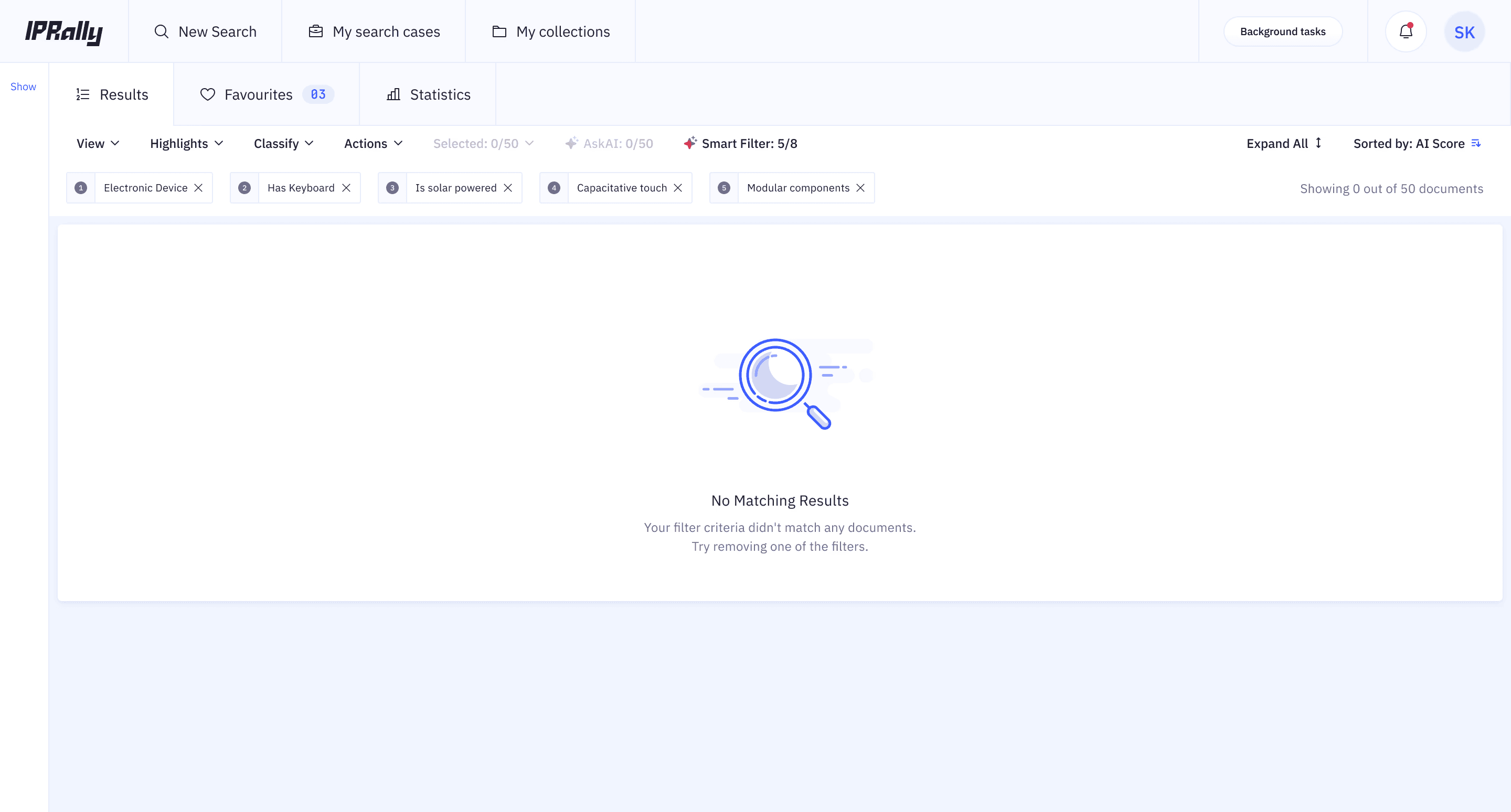
Blank state — Stack enough filters and you hit zero results. Users froze. We introduced a blank state which clearly tells what is happening and what to do.
V1 Shipped & Learnings
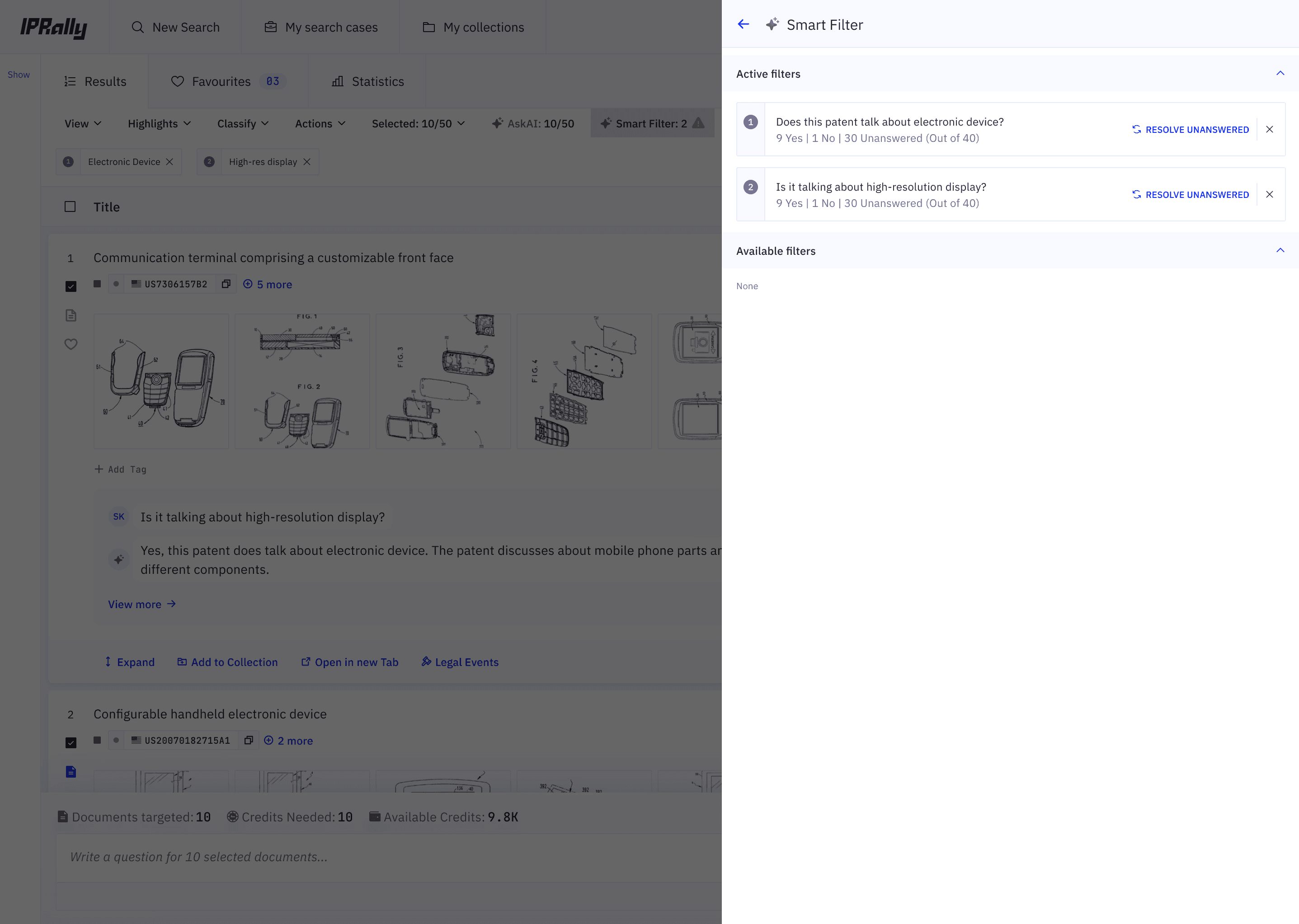
V1 shipped. The filtering loop worked - users could narrow 500 patents from a single question for the first time.
Here's what we introduced:
Question stacking — users could add multiple AI questions as compounding filters
Answer distribution — each filter showed Yes / No / Maybe / Unanswered / Error counts across the document set
Active vs Available filters — clear separation between applied filters and available ones
Resolve Unanswered — triggered AI re-evaluation on documents without an answer
Blank state as shown above
V2 - What Changed Based on User feedback
Users were confused with the wording of "Resolve Unanswered". We changed it to → "Answer" — clearer, no hesitation.
Users wanted to see each responses from "Yes", "No", "Maybe", "Error", "Unanswered". So we introduced checkboxes, we gave the control back to the user, allowing them to toggle independently.
We introduced icons for "Yes", "No", "Maybe", "Error", "Unanswered" and added hover state to signify what it is to simplify the view.
Added an indicator count for Active Filters
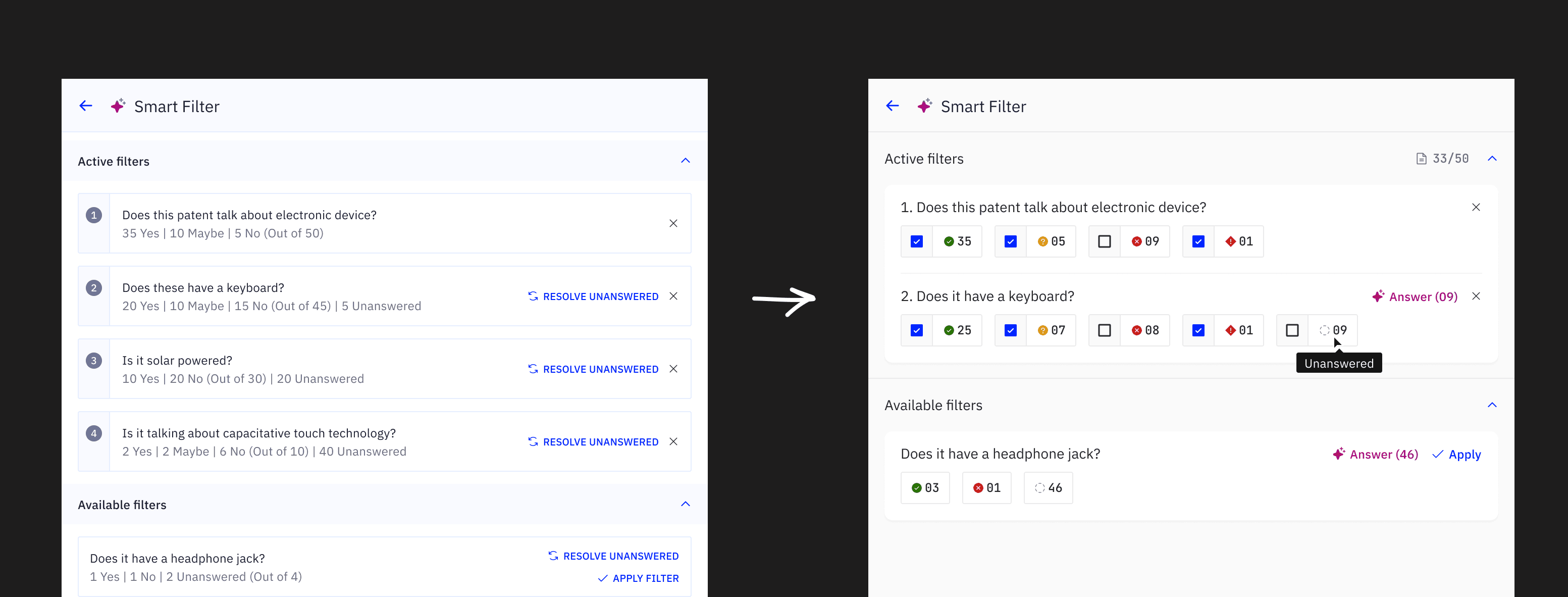
From V1 to V2.
Impact & Results
01 — Efficiency
Reduced average analysis time from ~100 minutes to <2 minutes.
02 — Trust
Described by beta users as "the most powerful feature" in the product’s history.
03 — Scale
Successfully moved from "Asking one question" to "Asking multiple questions at scale."
Launch & Product Communication
Designing the feature wasn't enough. Users needed to understand how to think with it, not just how to use it.
1. Teaser — Framing the Value
"Your shortcut to relevant patents." A funnel visual communicating scale reduction without explaining the mechanics.
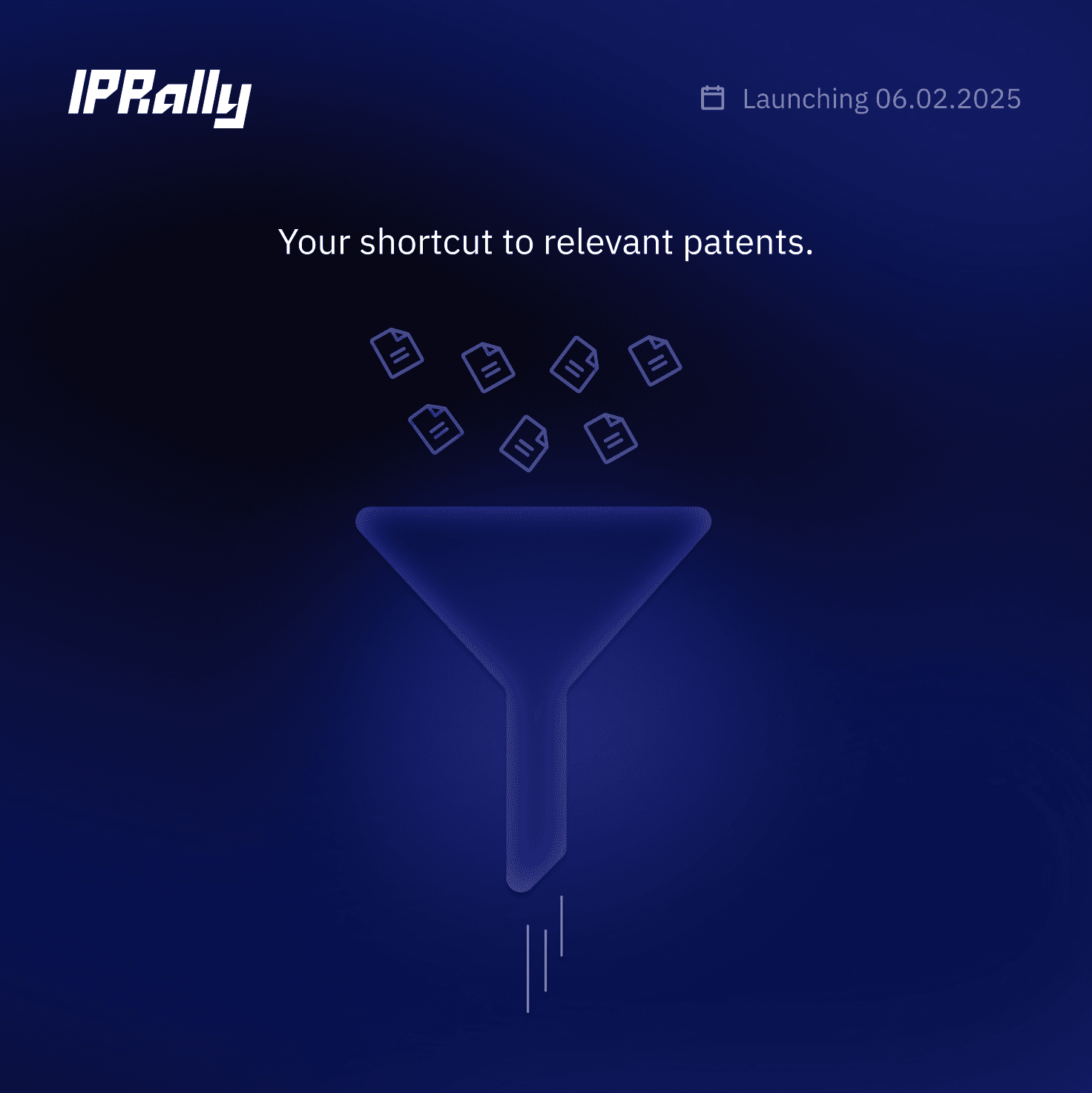
2. Launch Post — Explaining the Feature
Framed Smart Filters as turning questions into actionable filtering.
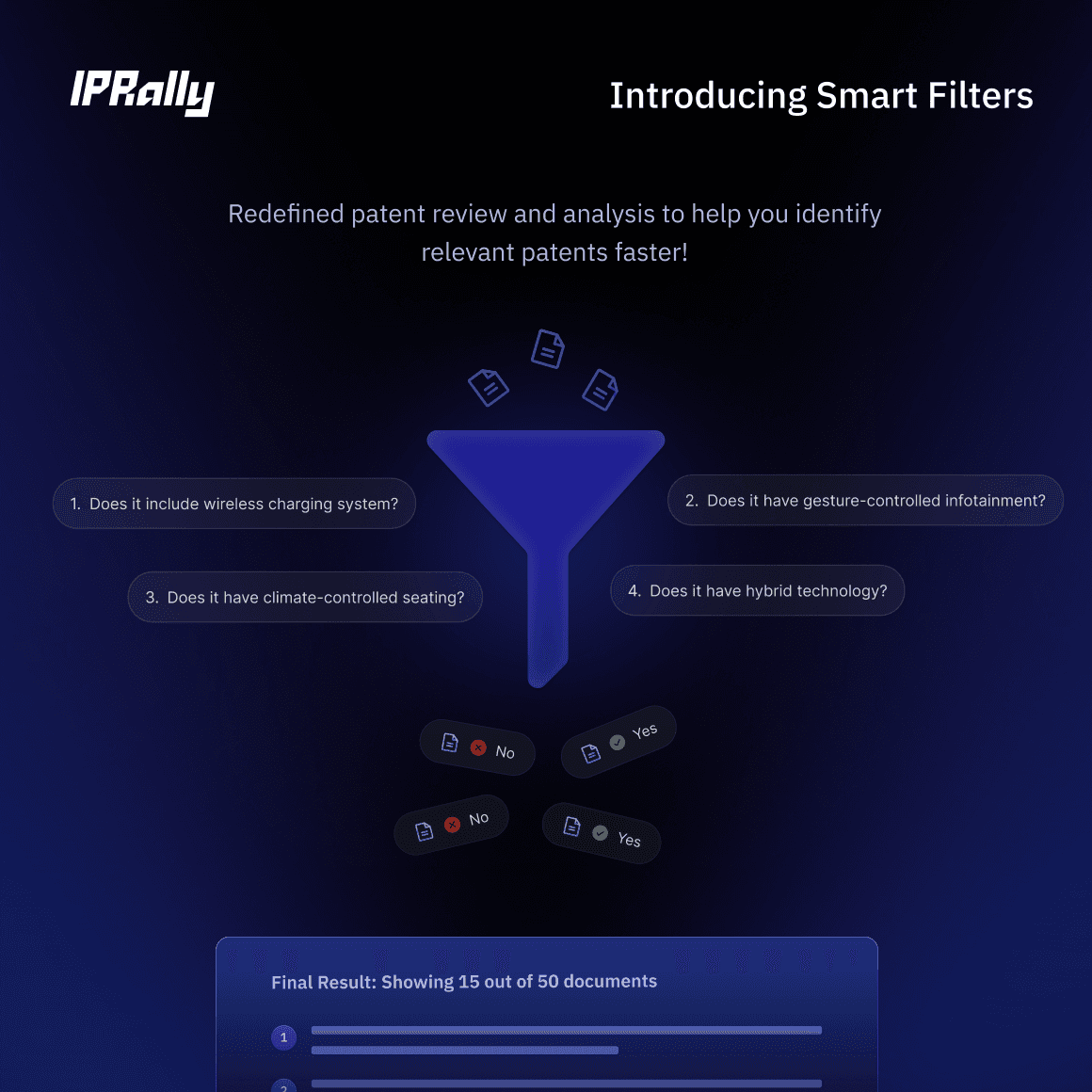
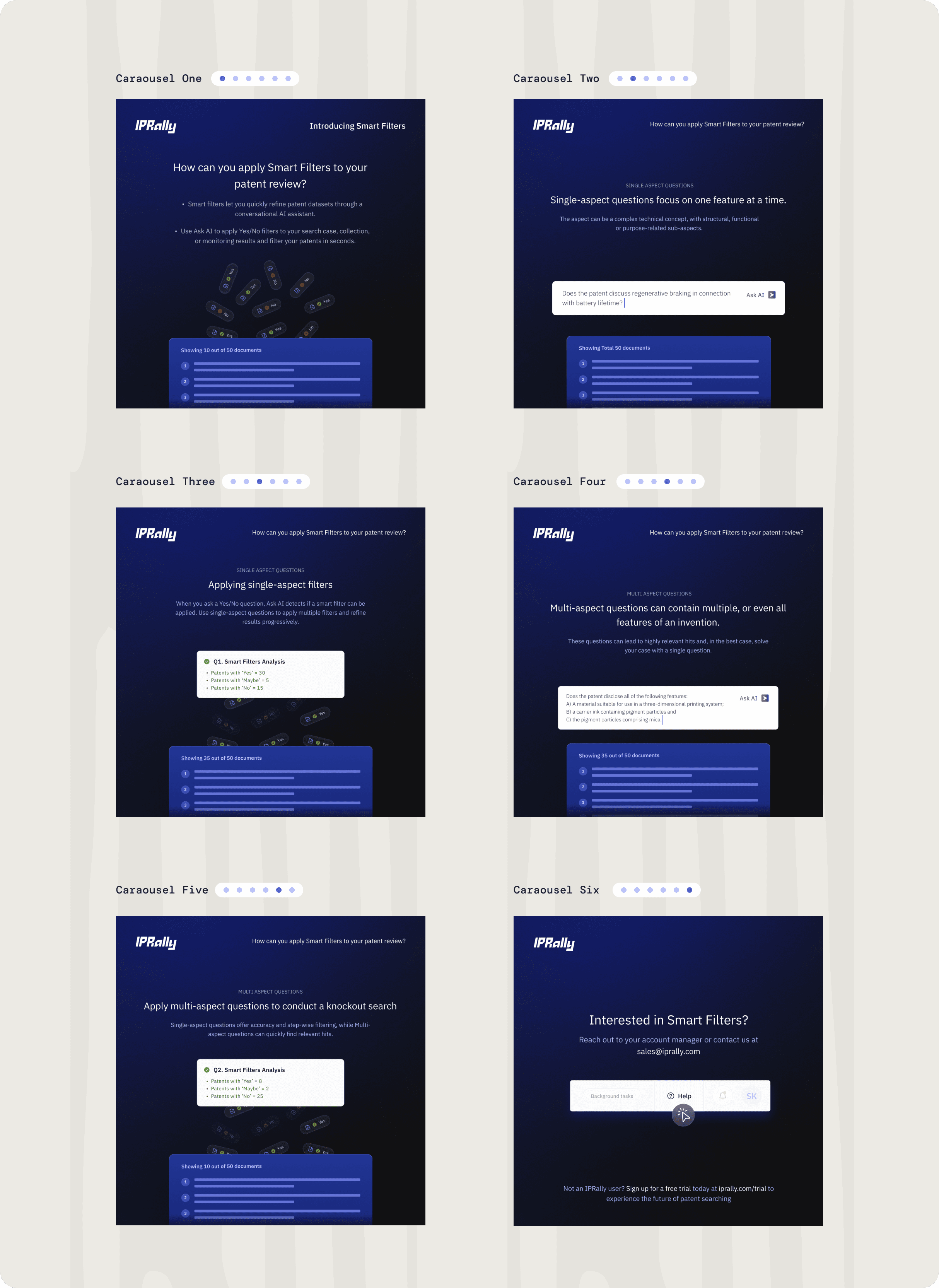
3. Use Case Carousel — Educating Users
Step-by-step progressions helping users build the mental model before they even opened the feature.